Check the mounting points
The kit uses four screws secured into mounting points on the front face of the base unit. Check this arrangement against your setup; if you’re unsure, ask for help before buying.
Installation & product guide
A permanent reference for fitting, powering and caring for your kit — whether you’re installing it now or checking the setup before you buy.
This is driver cooling: directed airflow for you and your hands during sim racing. It is not a wheelbase cooling system.
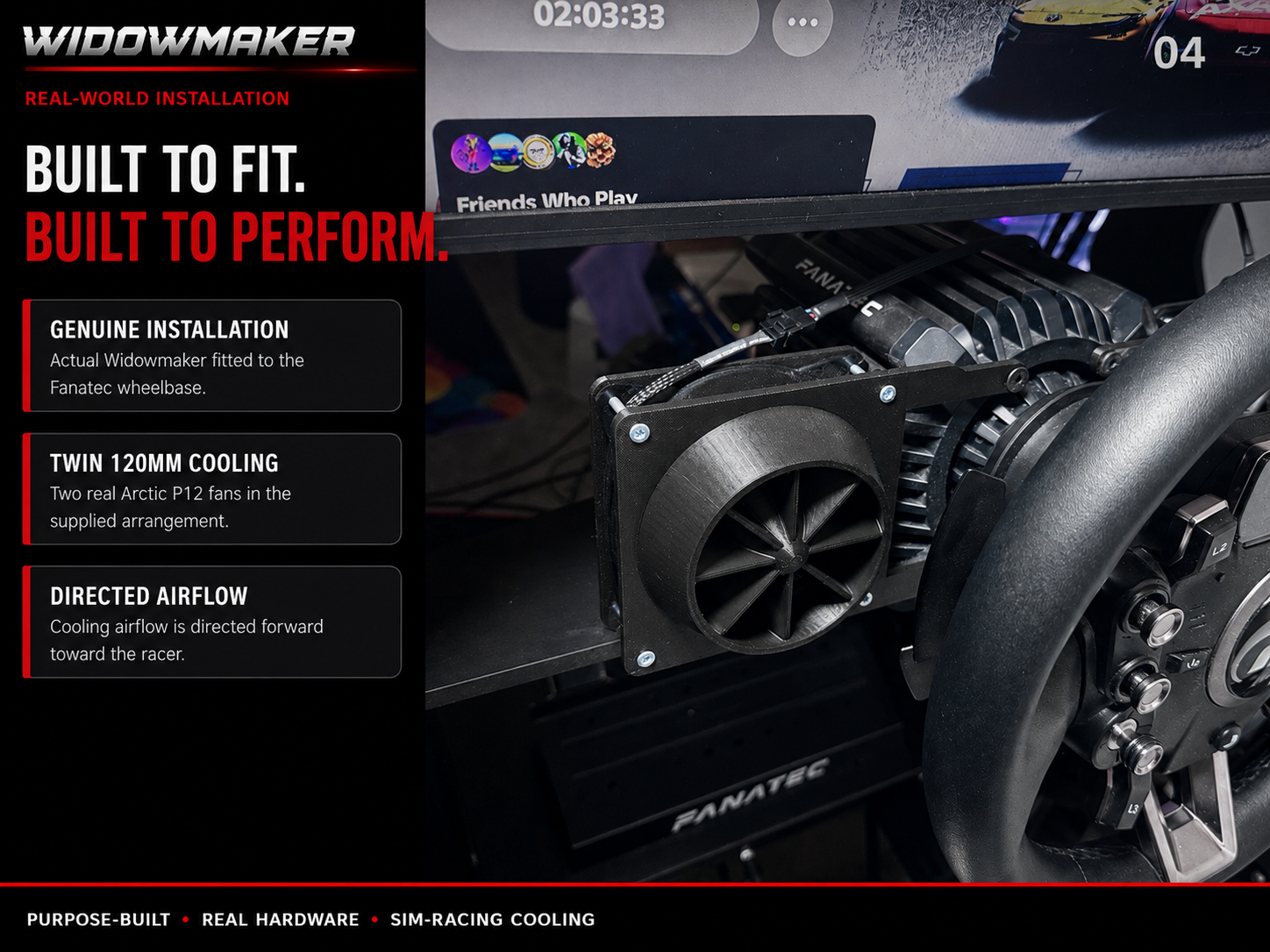
The kit uses four screws secured into mounting points on the front face of the base unit. Check this arrangement against your setup; if you’re unsure, ask for help before buying.
You’ll need a PC USB port or powered USB hub supplying the specified 5 V. Do not use a mains phone charging plug.
Allow room to position the fans towards the driver, keep airflow clear and route the connection cable neatly. Have suitable clips or ties available for cable management.
The boxed Quick Guide does not provide a compatibility list or mounting dimensions. Contact Widdowmaker if you need to confirm fitment.
For power, use a PC or powered USB hub as directed below.
Keep the unit switched off while mounting, positioning or adjusting it.
Use the four supplied screws to secure the fan system into the mounting points on the front face of the base unit.
Connect the fan system to a USB power source on your PC or a powered USB hub. Use the specified 5 V supply and keep the unit switched off while completing setup.
Aim the fans to deliver cooling where you need it at the driving position, including your hands.
Use clips or ties to keep the cables neat and prevent interference with your controls or driving position. Keep the fan intakes and outlets clear.
Once mounting, fan positioning and cable routing are complete, switch on the power supply to activate cooling.
If you need to change fan position, cable length or mounting, turn the unit off first. Follow the cable-length guidance below.
Adjust the fan positioning to put cooling where it’s most useful for you. Switch the unit off before making changes, and keep the airflow path unobstructed.
The default configuration uses the shortest cable length for a clean installation. If you need to alter the cable length from the fans, turn the unit off, unscrew the corner bolts and re-thread the wire. Secure the cables neatly before use.
The Quick Guide specifies a true USB voltage level for maximum fan power. Follow its PC or powered-hub requirement and use the correct voltage to avoid damage.
Cooling directed towards the driver where it’s needed, helping reduce hand sweat and improve grip during extended use, for a cooler and more comfortable sim-racing experience.
The Quick Guide describes simple installation, reliable performance and quieter operation compared with improvised cooling solutions. The design includes integrated fan guards for safety.
Need help with mounting, power or cable adjustment? Unsure whether the installation suits your rig? Reach out to Widdowmaker before buying or making changes you’re uncertain about.
You can also find Widdowmaker using the contacts printed in the Quick Guide: Facebook — Widdowmaker10144; GridFinder — Widdowmaker Racing Leagues.
Based on the Widdowmaker Cooling Fan System boxed Quick Guide. Keep your printed guide for reference.